Where a connection is failing — shown, not claimed.
Every screenshot below is the real application, not a mockup — and everything shown is in the free version, which monitors up to three targets with no time limit and no feature gating.
See every target at once, spot the outlier instantly.
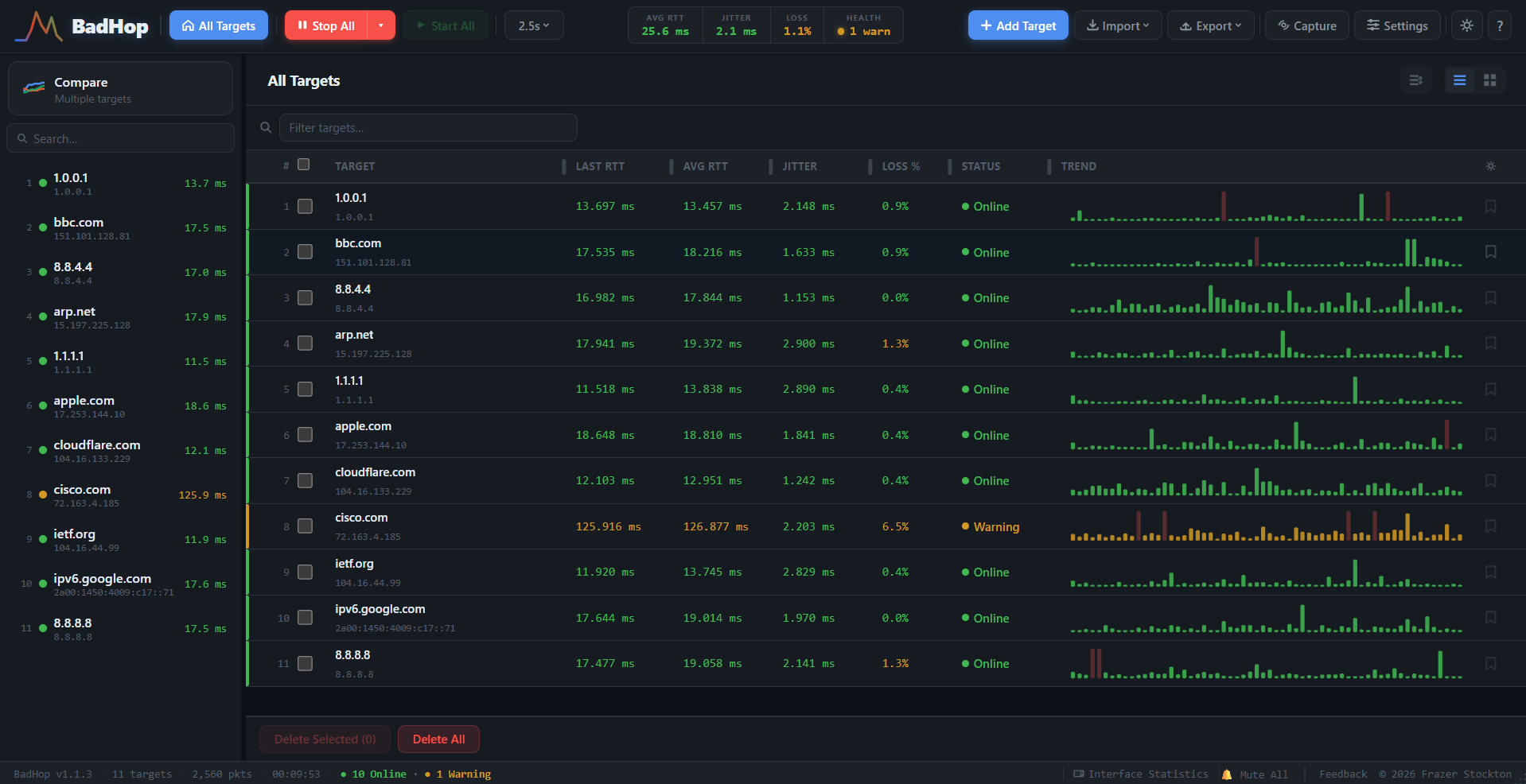
The All Targets view rolls up every host you're watching into one list: live RTT, average, jitter, loss percentage, and a rolling trend sparkline per target. Status colour does the triage for you, green means don't look here, amber means look here first.
In the screenshot below, 10 targets are healthy and one, cisco.com, is sitting at 126ms average with 6.5% loss and an amber "Warning" state. That's the whole point: across 11 targets, the one that needs attention is the one your eye goes to immediately, not the one you had to go hunting for.
Not just "it's slow", exactly when, and by how much.
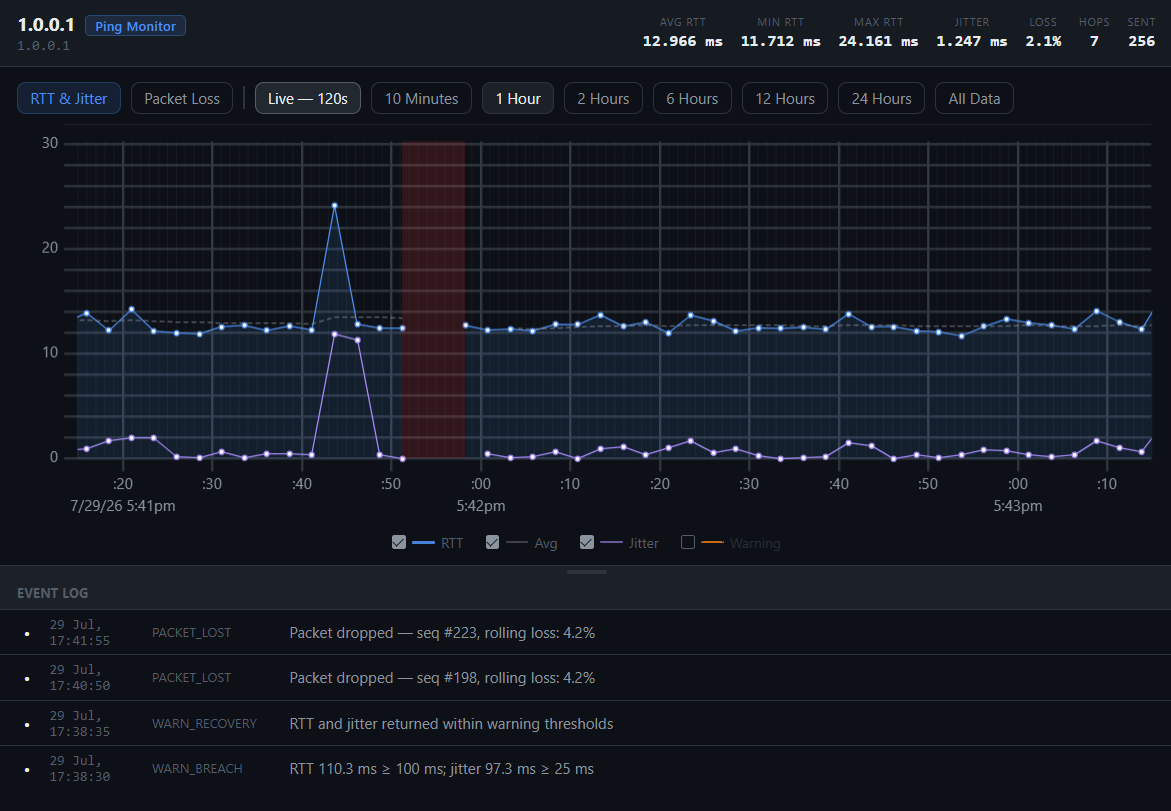
Drilling into a single target gives you a live RTT and jitter graph with the actual breach thresholds drawn in, and an event log that records the precise moment a threshold was crossed and when it recovered.
- WARN_BREACH: RTT 110.3ms ≥ 100ms; jitter 97.3ms ≥ 25ms
- WARN_RECOVERY: RTT and jitter returned within threshold
- PACKET_LOST: seq #223, rolling loss 4.2%
That's a timestamped, sequence-numbered record of exactly what happened and when — the difference between "the connection felt a bit off around 5:45" and pasting the actual numbers into the ticket.
The Expert Advice tab goes one step further and draws conclusions the individual readings can't: the route changed since the last trace, loss begins at hop 6 and persists to the target, latency has been climbing all window, one hop swings wildly behind a healthy-looking average. When nothing's wrong, it says so — and lists what it checked.
Overlay up to twenty targets and let the lines disagree.
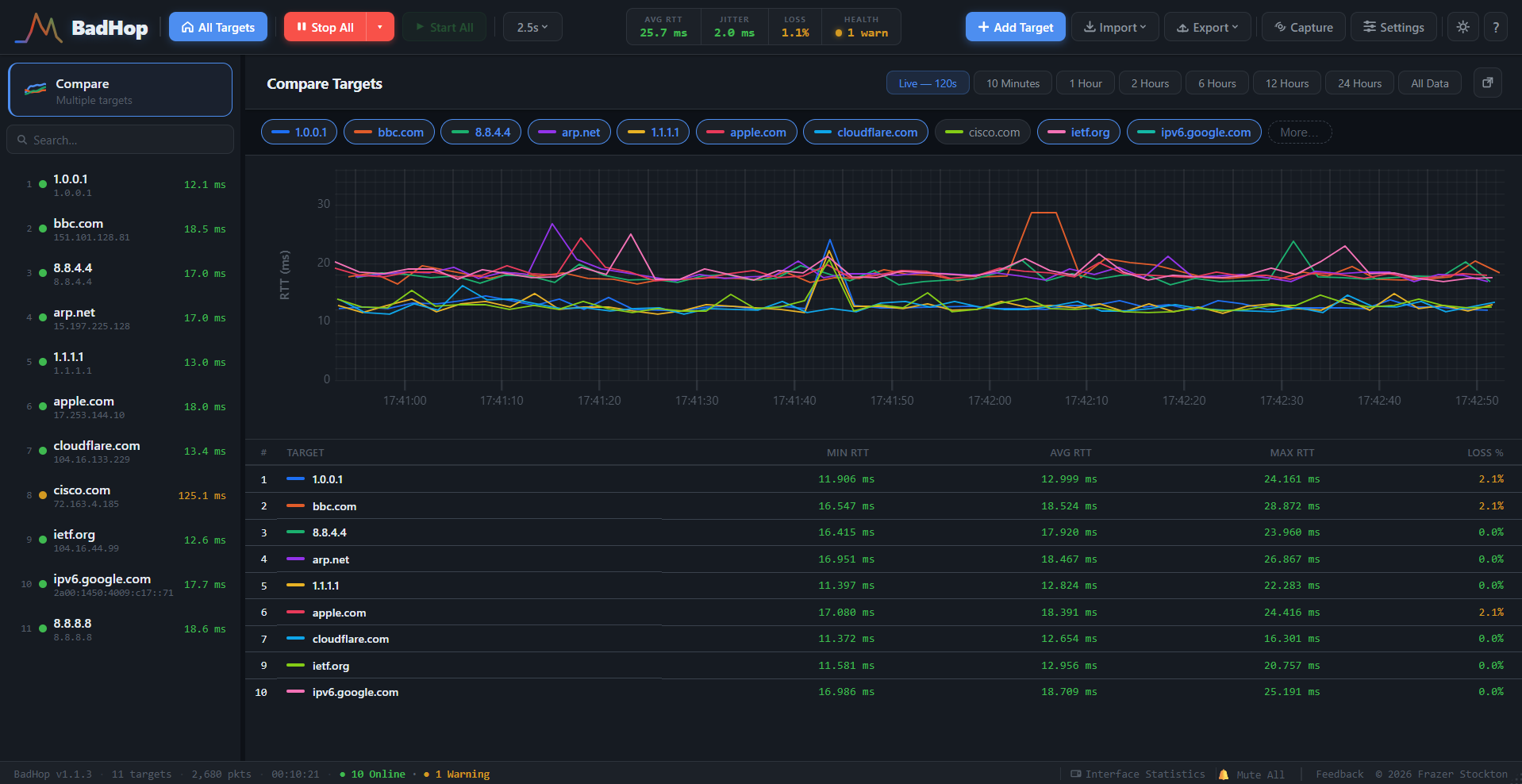
Compare Targets overlays multiple hosts on one live chart, so a spike that shows up on every line at once points at something shared, your local link, an upstream router, your ISP, while a spike on just one line points at that destination specifically.
The table underneath gives you min, average, and max RTT plus loss percentage per target, side by side, so you're not eyeballing overlapping lines to work out which one's actually the outlier.
Pop a target out, keep watching everything else.
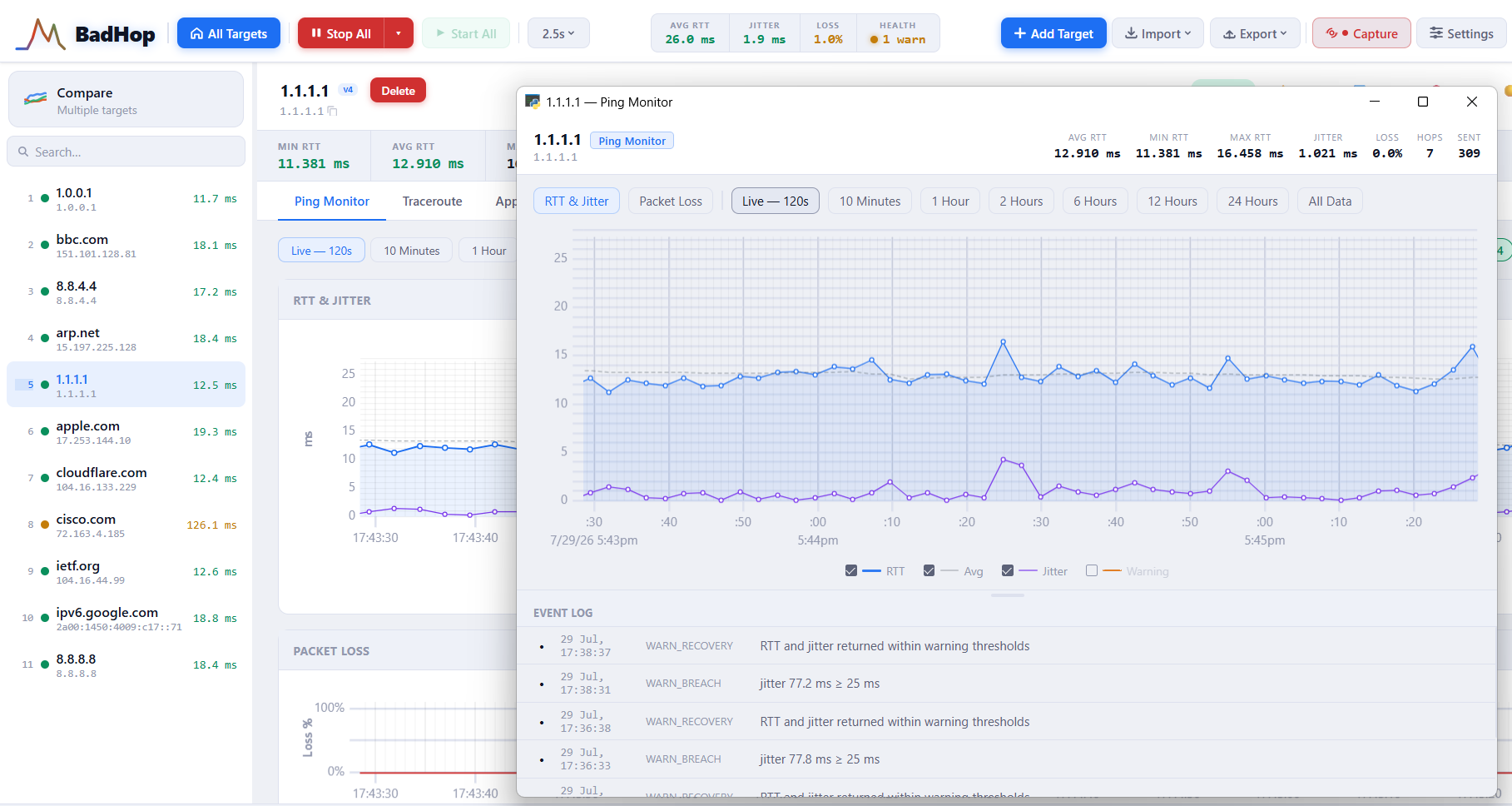
Any target can be floated into its own window, RTT and jitter chart, packet loss view, event log, all of it, while the rest of your targets keep monitoring in the background. Useful for keeping one problem host on screen while you work, without losing the wider view.
BadHop also ships a light theme alongside the dark one shown elsewhere on this page, same functionality, whichever's easier on your eyes for a long shift.
When ping and traceroute aren't enough, capture the actual packets.
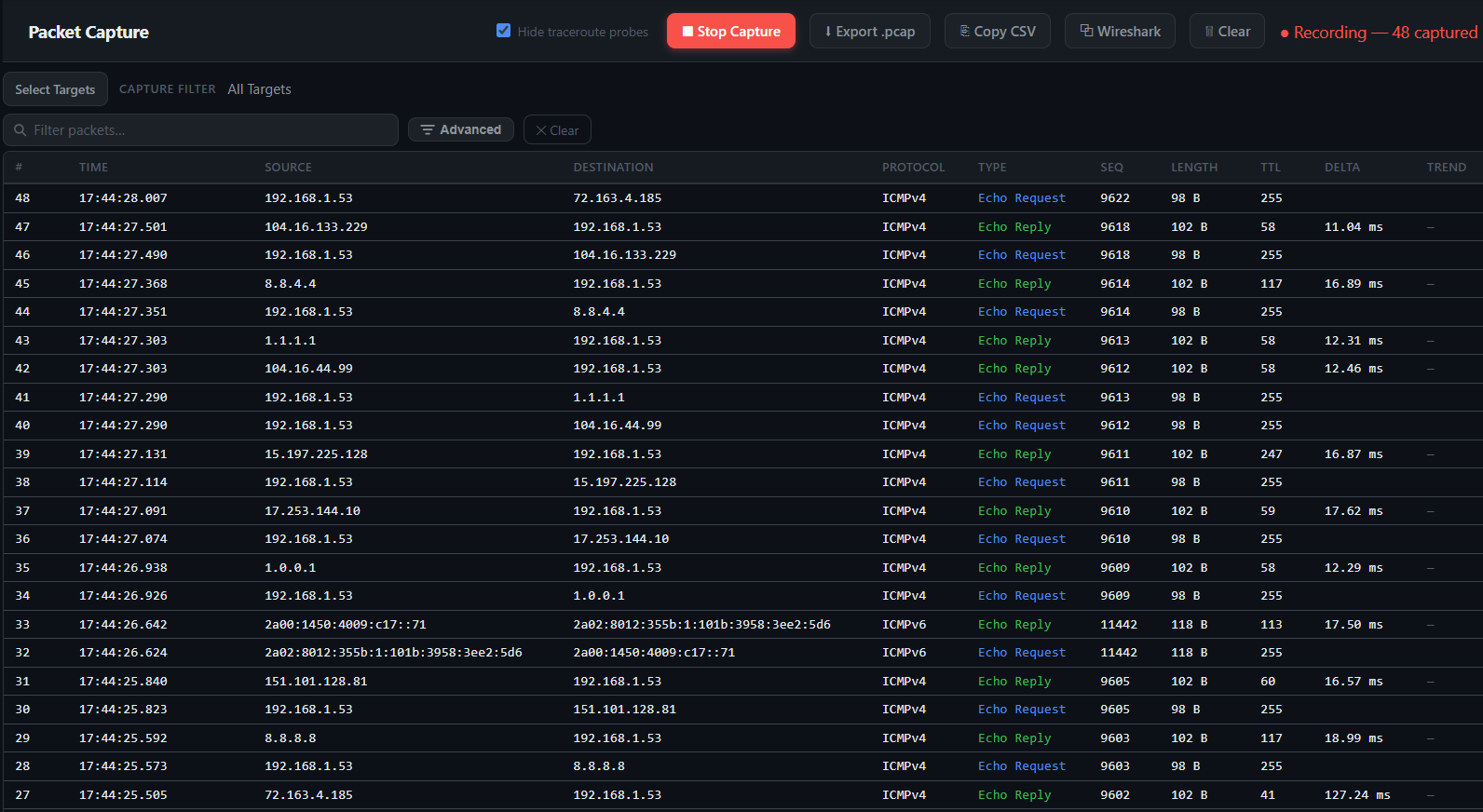
Packet Capture records real ICMP echo requests and replies as they happen, source, destination, sequence number, TTL, and the delta between request and reply, filterable and searchable live as it records.
Export straight to .pcap, copy as CSV for a report, or stream the capture live into Wireshark and watch packets land in both windows at once. It needs the free Npcap driver (the one Wireshark installs); everything else in BadHop runs with no driver and no admin rights at all.
All of this is in the free version.
Up to three targets, forever — no card, no account, no clock. A licence removes the cap when three stops being enough.
Download BadHop